


⚡ Claim Your FusionClubTV Free Trial
No credit card required • Instant activation
How can I use STBEmu to set up IPTV on Android devices?
One great way to enjoy your IPTV services is with set-top boxes. You can use an Android computer to mimic the hardware and interface of a Mag box if you don't want to buy a Mag Set-top box like the model 254.
Please be aware that using this emulator requires a powerful device.
Expert users are the target audience for this app. It must be configured in order to function properly, and if you have never configured an IPTV box, it could be difficult for you to do so. Please be aware that the app will stop working if you make a simple configuration error.
We will demonstrate how to use STBemu on your device to watch IPTV in this tutorial.
This tutorial also explains how to set up STBemu Pro.
NOTE: We do not offer this application because it is not an official app and could be used by hackers to steal your IPTV subscription information.
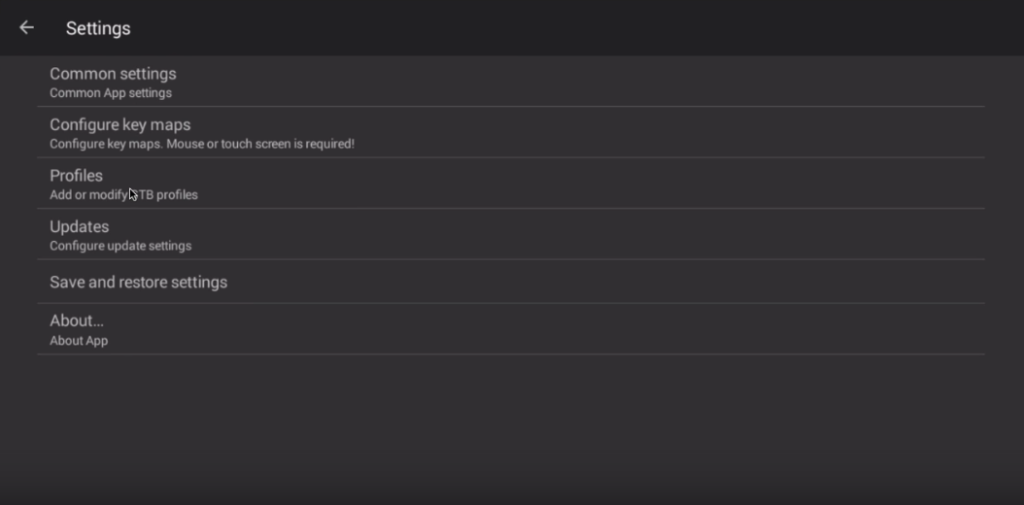
 Step 2: Choose "Settings" in the upper right corner.
On the greeting page, you have "Configure Application" if this is your first time opening the application.
Step 3: Choose "Profile."
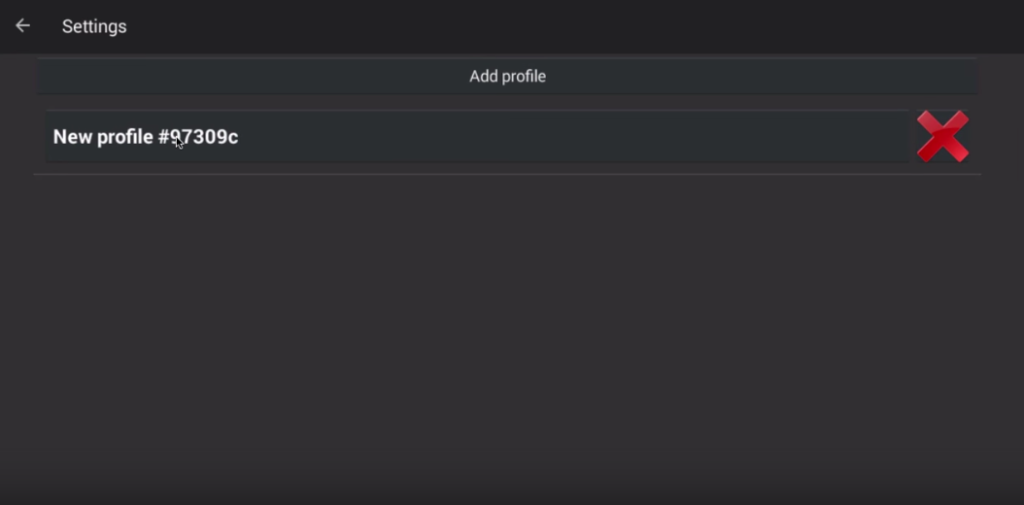
Step 4: Choose "New profile."
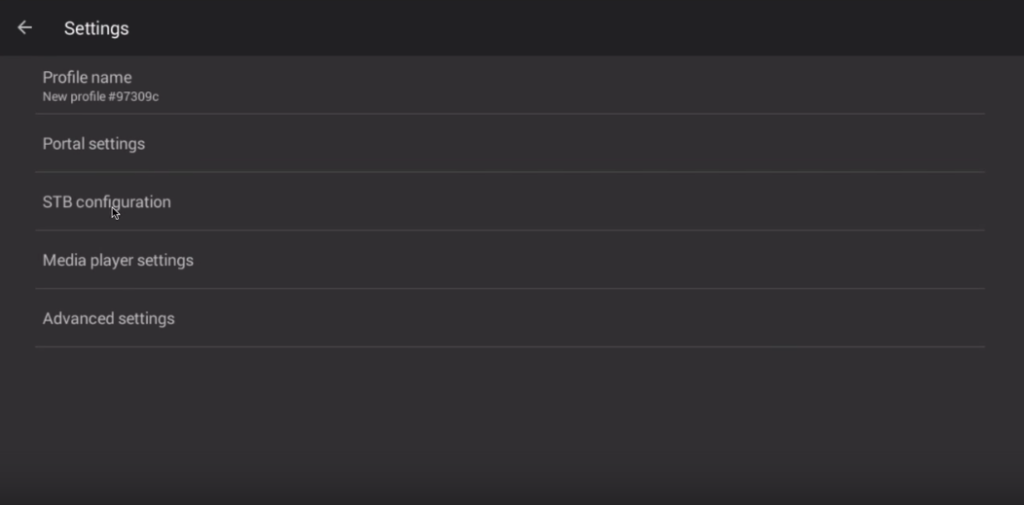
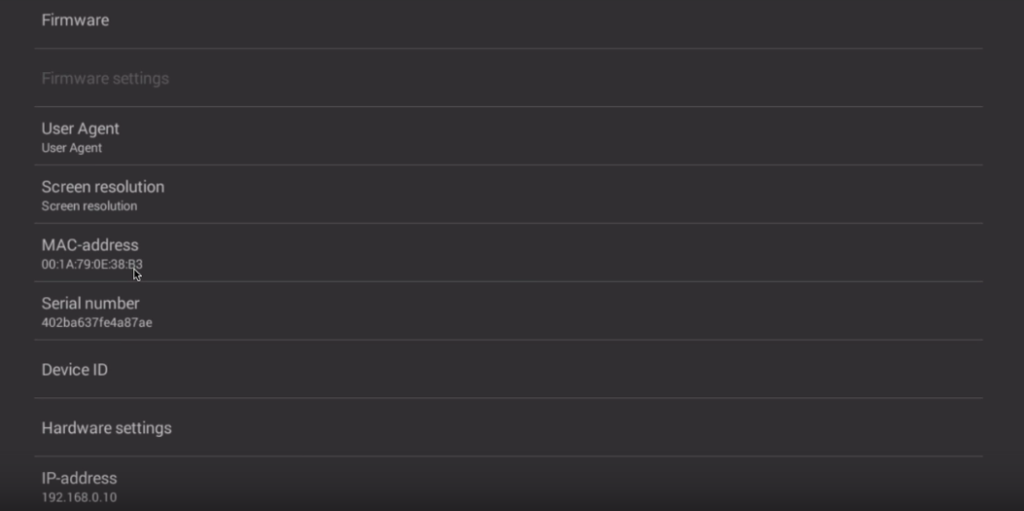
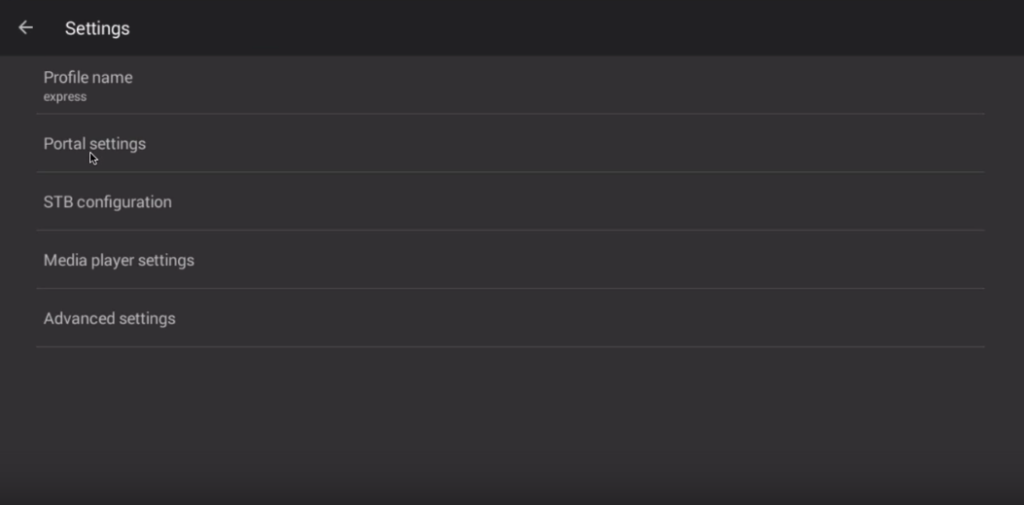
Step 5: Choose "STB Configuration" after entering any name in the profile name field.
Step 7: Go back, choose "Portal settings," click "Portal URL," and type in the Portal address that your IPTV distributor gave you.
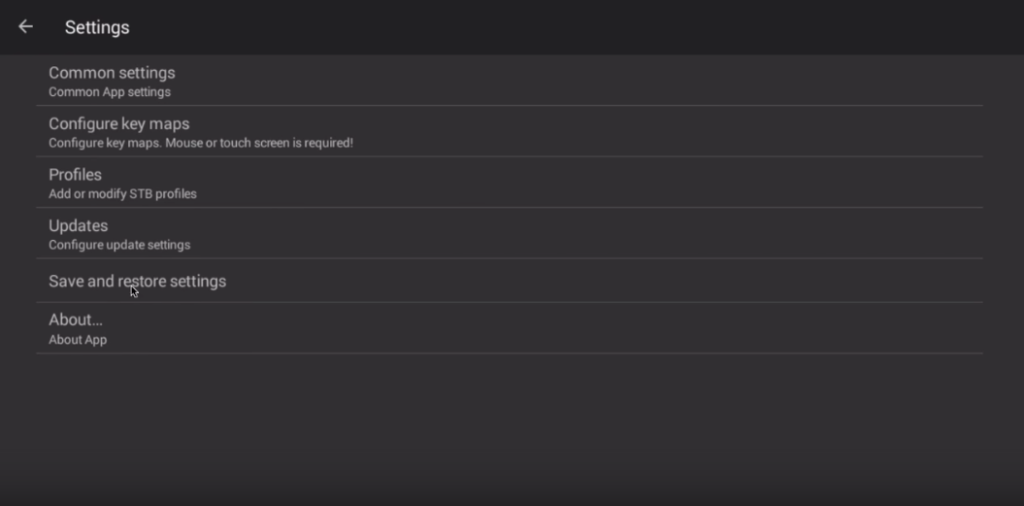
Go back and choose "Save and restore settings" in step eight.
Choose "SAVE SETTINGS AND PROFILES" in step nine.
Ultimately, the portal will begin to load when you restart your device.
You've successfully configured an Android device to mimic an IPTV set-top box. You can now experience a set-top box without having to buy a Mag box. Because the STB emulator can be a little difficult to use, try shutting down and restarting the application or uninstalling and reinstalling it if you encounter any issues.
Developed by iptvskypro.com
Step 2: Choose "Settings" in the upper right corner.
On the greeting page, you have "Configure Application" if this is your first time opening the application.
Step 3: Choose "Profile."
Step 4: Choose "New profile."
Step 5: Choose "STB Configuration" after entering any name in the profile name field.
Step 7: Go back, choose "Portal settings," click "Portal URL," and type in the Portal address that your IPTV distributor gave you.
Go back and choose "Save and restore settings" in step eight.
Choose "SAVE SETTINGS AND PROFILES" in step nine.
Ultimately, the portal will begin to load when you restart your device.
You've successfully configured an Android device to mimic an IPTV set-top box. You can now experience a set-top box without having to buy a Mag box. Because the STB emulator can be a little difficult to use, try shutting down and restarting the application or uninstalling and reinstalling it if you encounter any issues.
Developed by iptvskypro.com
Configure the STB Emulator
Step 1: Download the STB emulator app from the Play Store using the link below, then install it to move on to the next step. STB Emulator :https://play.google.com/store/apps/details?id=com.mvas.stb.emu.free&hl=en STB Emulator Pro : https://play.google.com/store/apps/details?id=com.mvas.stb.emu.pro&hl=en
⚡ Claim Your FusionClubTV Free Trial
No credit card required • Instant activation