How to set up IPTV on GSE via Xtream-Codes API?
Starting with this tutorial, we will explain how to incorporate IPTV channels into your GSE SMART IPTV app. GSE is a comprehensive, user-specific, cutting-edge IPTV solution designed for both live and non-live TV broadcasting. communication Featuring an embedded, robust player, it boasts compatibility with a plethora of formats, including M3U, along with an array of customisable options. The reach of this solution grows to include both Android and iOS.
How to set up SS IPTV on Smart TV?
SS IPTV Player: Stream free multimedia content online or locally. Compatible with many IPTV services & customizable playlists. Flexible & user-friendly.
How to connect IPTV to AVOV TVOnline?
To reset the language, make your way to the menu that controls settings. Simply select the language you want to use from the list that appears after you click the "language" menu.
How to connect Perfect Player to IPTV?
Perfected Player streams IPTV on Android devices like tablets, phones & Smart TVs. No built-in channels,add your own m3u playlists in settings.
How does MyIPTV Player set up Microsoft IPTV?
Learn how to enhance MyIPTV Player with more IPTV channels. Download from Microsoft, Xbox, or Windows Phone Store & start streaming instantly!
How to add channels to MAG’s Favorites?
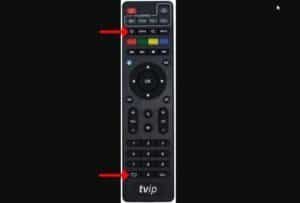
In this instructional guide, we shall elucidate the process of incorporating IPTV channels into the favored roster on a MAG apparatus. The Favorites attribute endows STB patrons with the ability to promptly access pre-elected IPTV channels via the MAG device. What is MAG? How to add channels to favorites Selection of channels for inclusion into the
Which is better for IPTV: Portal or M3U?
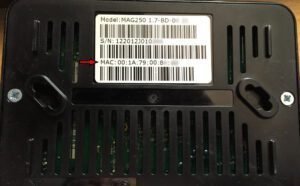
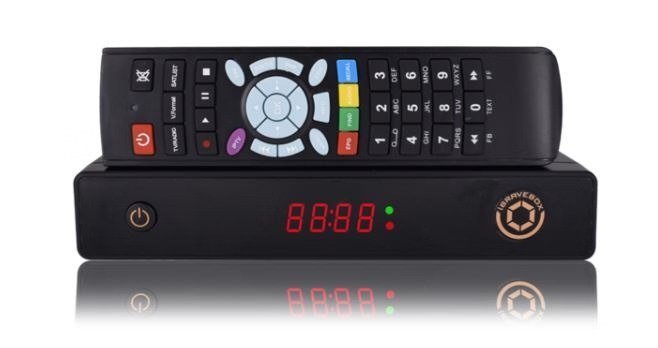
Provide your IPTV box's MAC address to your provider so they can assign a portal address and activate your service.
Softwares required to watch IPTV
Software and apps such as VLC (Windows Microsoft-Linux-Macintosh OS-Android), Perfect Player (Android), KODI, SIPTV (Smart TVs), Enigma2 (Linux) MAG box
How to setup Kodi on my FireTV?
The Amazon FireTV is a great device that can turn your regular TV into an intelligent device. Numerous features are available, including IPTV channels, apps, interactive games, TV shows, and an HDMI port. A significant number of users opt to configure Kodi on this apparatus, thereby facilitating the dissemination of multimedia content. The next explanation shows two different ways to handle this configuration.
1 2 3 8
error: Alert: Content selection is disabled!!