


⚡ Claim Your FusionClubTV Free Trial
No credit card required • Instant activation
VLC is the best choice for users who want to stream IPTV channels. The VideoLAN initiative is responsible for making the VLC multimedia player, which is a free, portable, multi-platform media player and streaming media server. VLC is widely used and can be found on desktop computers and mobile devices running Android, iOS, Tizen, Windows 10 Mobile, and Windows Phone.
We will talk about how to record live broadcasts on VLC in this instructional piece. This informative article will also go into more detail about how to set up IPTV channels on your computer using VLC. In what way can live broadcasts be recorded on the VLC media player?
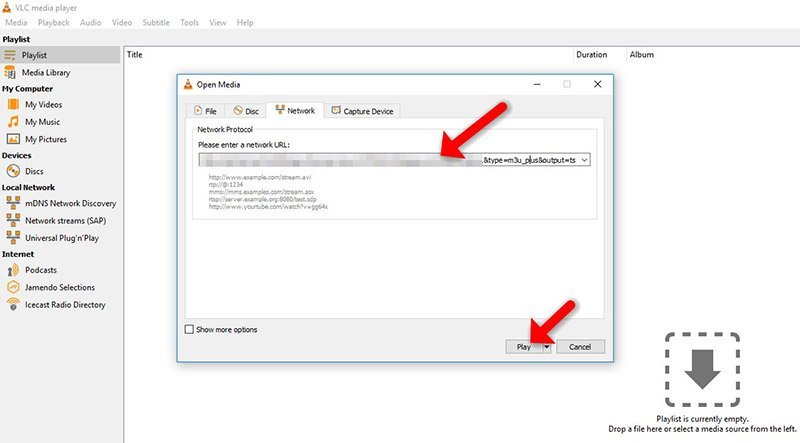
You can start setting up VLC once you have downloaded and installed it on your computer.
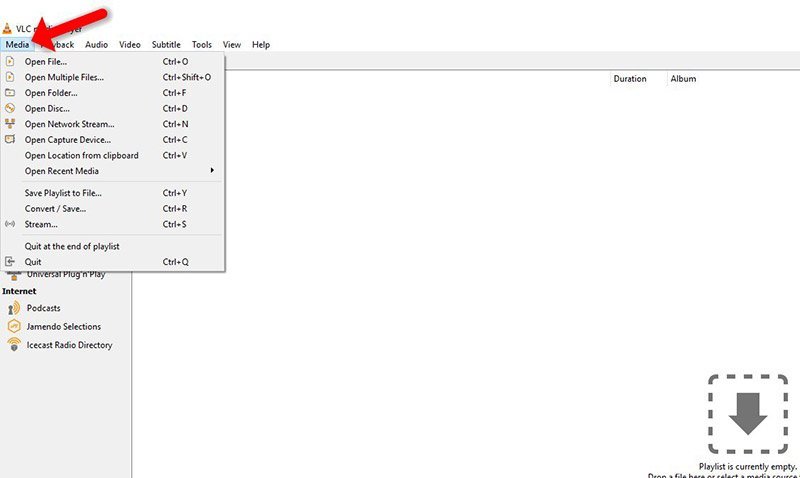
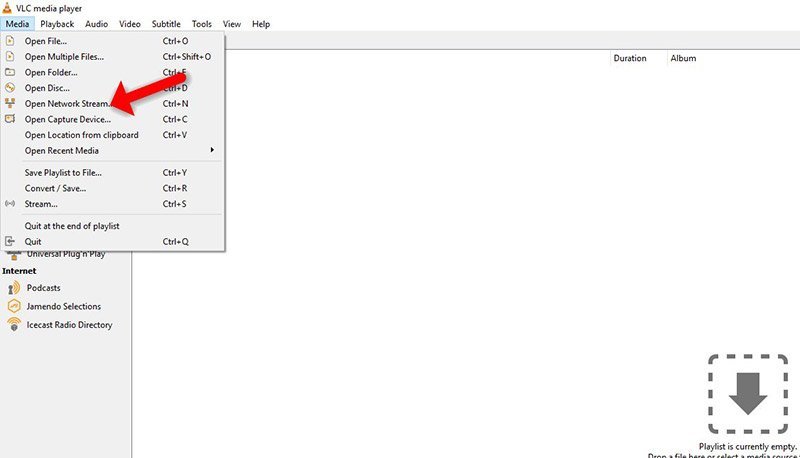
Step 1: Upon opening the application, select "Media."
⚡ Claim Your FusionClubTV Free Trial
No credit card required • Instant activation