


⚡ Claim Your FusionClubTV Free Trial
No credit card required • Instant activation
Let's take a trip through the complicated world of technology as we look at how to add IPTV channels to your iBravebox F10S receiver. This device works in the same way that MAG boxes do, so setting up IPTV is similar to setting up MAG devices. Get ready to go through a maze of steps that, while detailed, will lead to a smooth IPTV experience in the end.


What you need to do to get IPTV on your iBravebox
Step 1: Click on the Multimedia tab (iBravebox)
Turn on your iBravebox F10S first. Choose "Multimedia" from the main menu. Once you get there, choose "Extream IPTV" from the list of choices.Step 2: Choosing the right server (iBravebox)
Next, go to the Extreme IPTV menu and click on the "Server" option.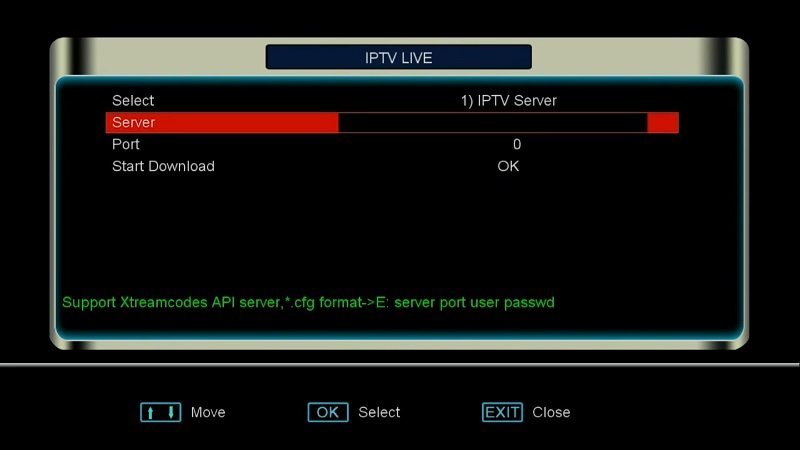
Step 3: Type in the address of the portal
Now you will be asked to enter the portal address that your IPTV provider gave you. The address you give must be a MAG portal address, which in MAG devices is often called a Stalker Portal. When you're sure you have the right address, click "OK" to confirm. How do I set up IPTV on my MAG Box?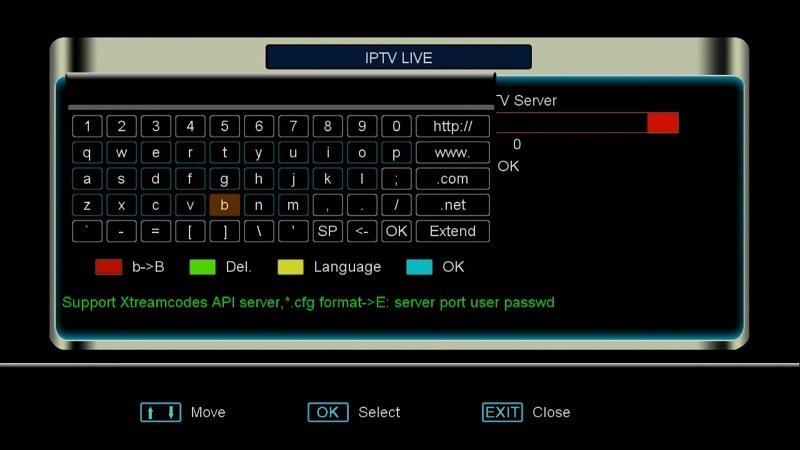
Step Four: Type in the Port Number
Now, type in the port number that your IPTV provider gave you. Port numbers 8080 and 8181 are often used, but you should check with your provider to be sure. Type in the port number and move on.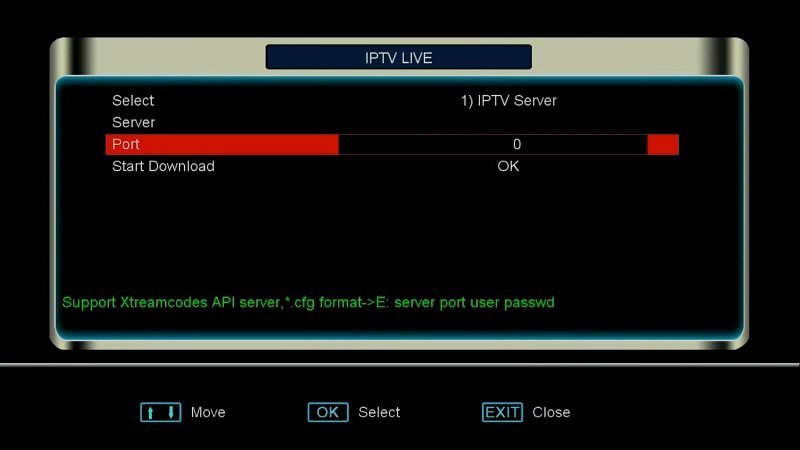
Step 5: Setting up the IPTV MAC address
Select "System Information" from the "Plugins" tab in the main menu. The IPTV MAC address can be found here. In the dashboard of your IPTV provider, type in this MAC address. Take a break, and then go back to the Extreme IPTV section.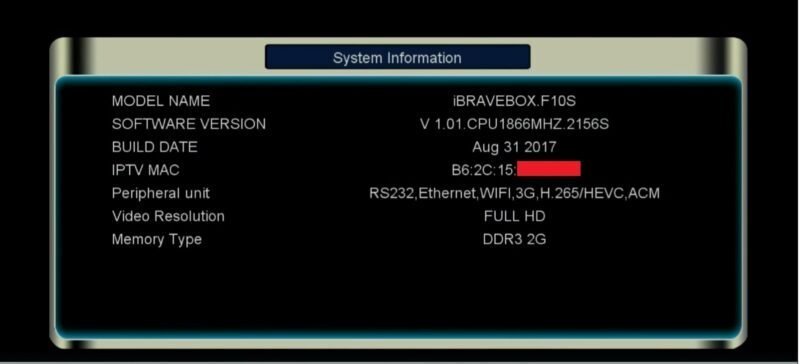
Step 6: Begin the download
Click on "Download" to begin. The device will start to get the list of IPTV channels. You can start watching the channels as soon as this is done.
Please feel free to tell us what you think about this article in the section below. We really value your opinion. Thank you ahead of time for your contributions!
⚡ Claim Your FusionClubTV Free Trial
No credit card required • Instant activation