Your Guide to Accessing BBC World Service’s Digital News
In an era of endless information, finding trustworthy, impartial news from a global perspective is more critical than ever. For decades, the BBC World Service has been a benchmark for quality international journalism. Now, as it expands its digital footprint with renewed services in languages like Hungarian and Romanian, accessing this vital resource on your favorite streaming devices is easier than ever.
No credit card required • Instant activation
This guide will walk you through the official and legal methods for achieving BBC World Service access, ensuring you're connected to credible news, whether at home or on the go. We'll cover everything from smartphone apps to smart TV setups, helping you navigate the world of legitimate international news streaming.
What is the BBC World Service?
The BBC World Service is the world's largest international broadcaster, providing impartial news, reports, and analysis in English and over 40 other languages. Funded primarily by the UK government through the Foreign, Commonwealth & Development Office, its mission is to be the world's most trusted international news organization. Unlike domestic BBC services, which are funded by the UK TV license fee, the World Service is explicitly aimed at audiences outside the United Kingdom.
Its content spans a wide range of formats:
- Live Radio: 24/7 news and programming.
- On-Demand Audio: Podcasts and catch-up shows.
- Digital Text: News articles and features on its website and apps.
- Video Content: Documentaries and news reports.
This multi-platform approach ensures that millions of people worldwide can access reliable information, regardless of how they consume media.
Why Choose Official News Sources in the Streaming Age?
The digital landscape is filled with misinformation and manipulated content. Unofficial streaming services and illegal IPTV playlists often carry news feeds from unknown or altered sources, which can present a skewed or entirely false picture of world events. Relying on official broadcasters is a crucial step in practicing good media literacy.
By using official apps and websites from providers like the BBC, you guarantee that:
- The content is authentic and has not been tampered with.
- You are accessing the feed directly from the source, with its full editorial oversight.
- Your device is safer from malware often bundled with unofficial apps.
- You are supporting the legal framework that allows these journalistic organizations to operate.
Choosing legitimate sources is the foundation of a safe and informed streaming experience, a principle we champion here at FusionClubTV.
A Step-by-Step Guide to BBC World Service Access
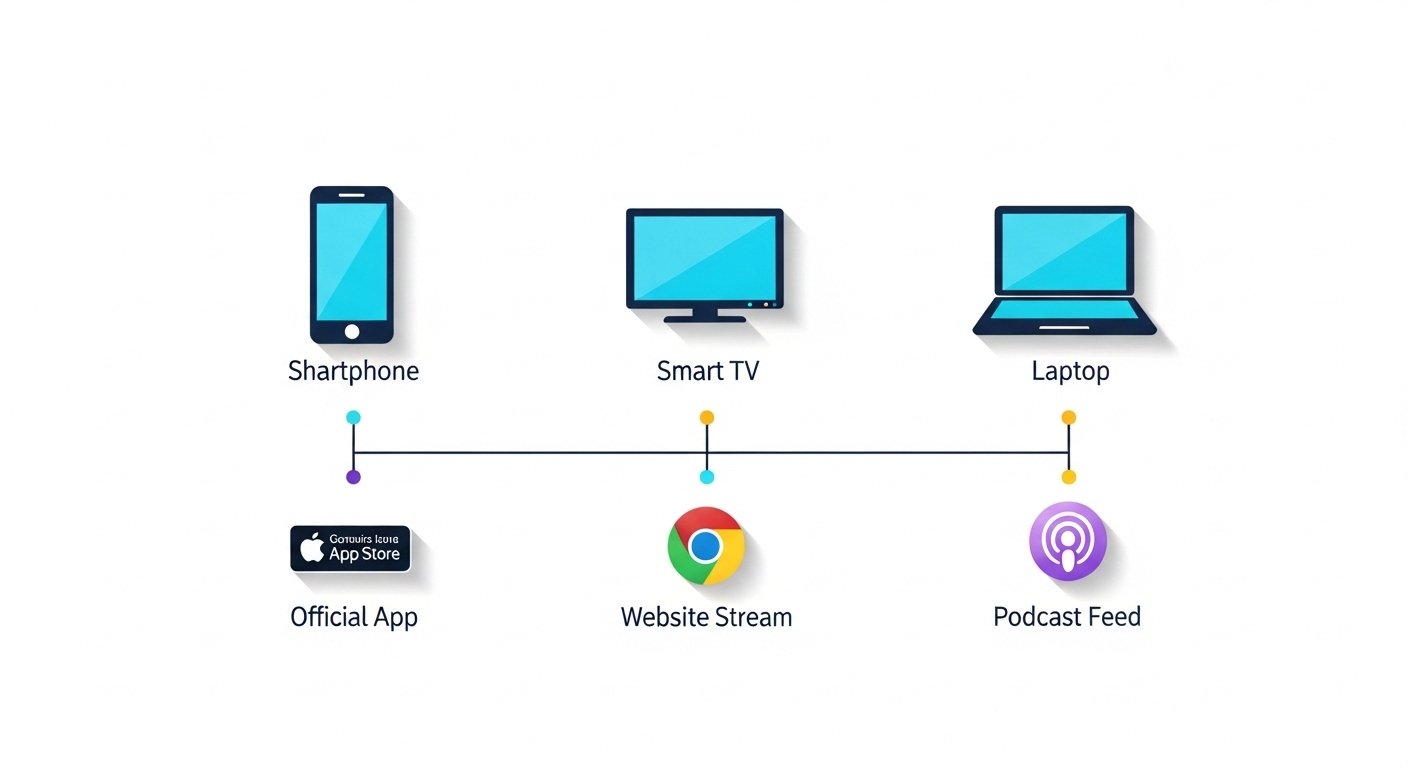
Getting connected to the BBC World Service is straightforward using official channels. Here’s how you can do it across various devices.
1. On Smartphones and Tablets (iOS & Android)
The most versatile way to access the service is through the official BBC News app. It provides live radio, podcasts, and articles all in one place.
- Navigate to the Apple App Store or Google Play Store on your device.
- Search for ‘BBC News'.
- Download and install the official app, developed by the BBC.
- Once installed, open the app. You can often find the live World Service radio stream under a ‘Live' or ‘Audio' tab. You can also browse articles from different regions and in various languages.
External Links: BBC News on the App Store | BBC News on Google Play
2. On Your Computer via Web Browser
The BBC World Service website is a comprehensive portal for all its content. This is a great option for desktop listening or reading.
- Open your preferred web browser (Chrome, Firefox, Safari, etc.).
- Go to the official BBC World Service website.
- You'll find a ‘Live Radio' player directly on the page.
- You can also explore schedules, podcasts, and news articles sorted by region or topic.
3. On Smart TVs and Streaming Devices
Access on devices like Android TV, Fire TV, Roku, and Apple TV typically relies on the BBC News app. Availability can vary by your geographical location and device manufacturer.
- Open the app store on your Smart TV or streaming stick.
- Search for ‘BBC News'.
- If available in your region, download and install the app.
- The app interface on TVs is optimized for a larger screen and remote control navigation, making it easy to find live and on-demand content.
If the app isn't available, you may still be able to use your device's built-in web browser to visit the website, though this can be a less user-friendly experience.
4. Through Digital Radio and Podcast Apps
If you primarily want audio, you can use popular podcasting and radio apps. Search for ‘BBC World Service' within platforms like BBC Sounds (region-dependent), TuneIn, Spotify, or Apple Podcasts to find the live stream and a vast library of on-demand shows.
| Access Method | Device Compatibility | Key Feature | Best For |
|---|---|---|---|
| BBC News App | iOS, Android, some Smart TVs | All-in-one (Radio, Articles, Video) | Mobile users and comprehensive access. |
| Official Website | Any device with a web browser | Live player and full program schedule | Desktop/laptop users. |
| Podcast/Radio Apps | Smartphones, Smart Speakers, Cars | Audio-only content (Live & On-Demand) | Commuting and background listening. |
| Smart TV App | Select Smart TVs & Streaming Devices | Lean-back, remote-controlled experience | Watching news reports on a big screen. |
Finding Content in Hungarian, Romanian, and More
A key strength of the BBC World Service is its multilingual offering. With the recent digital relaunch of its Hungarian and Romanian services, it's reaffirming its commitment to reaching audiences in their native languages. To find these and other language services, your best bet is the official BBC website.
The BBC maintains a dedicated portal for all its language services. From this page, you can select your desired language (e.g., Magyar for Hungarian or Română for Romanian) to access a version of the site with articles and audio content tailored to that language.
Ensuring your device and network are properly configured is key to a smooth streaming experience. If you're new to setting up streaming technology, our guide on getting started can help you understand the basics of a legal and high-quality setup, ensuring you get the best performance from official services like the BBC.
No credit card required • Instant activation
Troubleshooting Common Access Issues
Even with official methods, you might encounter a few hurdles. Here’s how to address them safely.
- Geo-Restrictions: Some BBC content, particularly from BBC iPlayer, is legally restricted to UK audiences only. The BBC World Service is designed for international audiences, but specific programs may still have regional licensing. Always use the services intended for your location.
- Buffering or Poor Quality: This is almost always a network issue. Try restarting your router, moving closer to your Wi-Fi signal, or checking your internet speed. Streaming high-quality audio and video requires a stable connection.
- App Not Available: If you can't find the BBC News app on your Smart TV, it likely means it hasn't been made available for your device model or region. In this case, using the web browser or casting from your phone are the best alternatives.
Frequently Asked Questions
1. Is BBC World Service free to access?
Yes, the BBC World Service is free to access worldwide. You do not need a subscription or a UK TV Licence. However, you will be responsible for any data charges from your internet or mobile provider.
2. How can I find out which languages are available?
The most up-to-date list is on the official BBC website. Visiting their languages page will show you all 40+ language services currently offered, from Afaan Oromoo to Yoruba.
3. Why can't I find the BBC app on my Smart TV?
App availability on Smart TVs is determined by agreements between the BBC and device manufacturers (like Samsung, LG, Sony) and is often limited by region. If it's not in your TV's app store, it is not officially supported.
4. Is accessing BBC World Service through these methods legal?
Absolutely. Using the official BBC News app, the BBC website, and reputable podcast platforms are the intended, legal, and safest ways to consume BBC content.
5. What's the difference between BBC News and BBC World Service?
BBC News primarily serves the UK with domestic and international news. The BBC World Service is the international arm, focusing on global news for a non-UK audience and broadcasting in many languages.
In conclusion, securing BBC World Service access is a simple process that opens up a world of credible, high-quality journalism. By using the official apps and websites, you not only get reliable news in dozens of languages but also ensure a safe and secure streaming experience. In a complex world, having a trusted voice is invaluable, and the BBC World Service delivers it directly to your screen.
Disclaimer: FusionClubTV publishes educational content about legal streaming, IPTV technology, and device setup. We do not promote piracy, illegal IPTV subscriptions, cracked apps, unauthorized streams, or bypassing paid access.