


No credit card required • Instant activation
Warning: Kodi Stalker serves as a cautionary tale, as it is not an authorized IPTV viewing application. Rather, it is a tool exploited by hackers to pilfer IPTV line credentials.
How to setup IPTV Stalker on Kodi
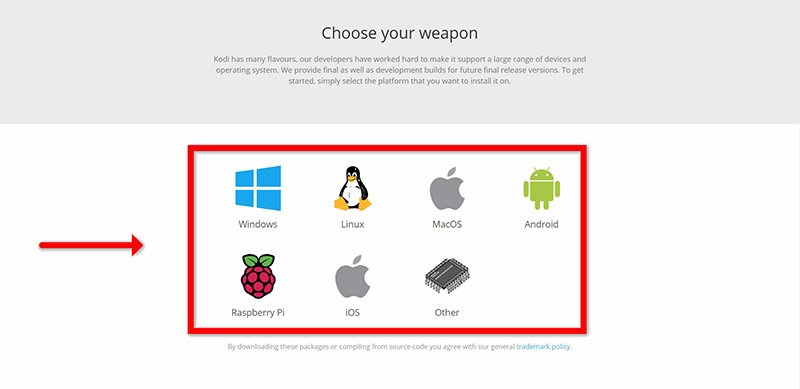
Step 1: Start by downloading Kodi based on your operating system: https://kodi.tv/download
In this case, we select “Windows“.
*Please note, the following instructions detail how to configure IPTV on Kodi within the Windows environment. However, the setup process remains largely consistent across all operating systems.
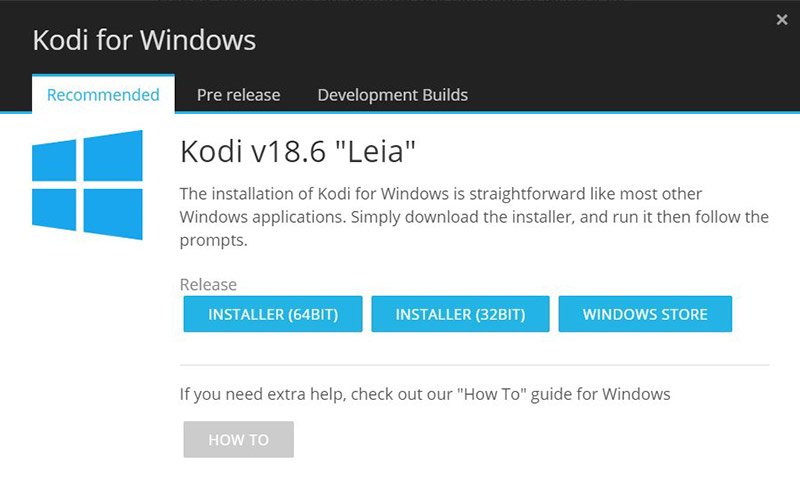
Step 2: Select 64 Bit or 32 Bit based on your operating system.
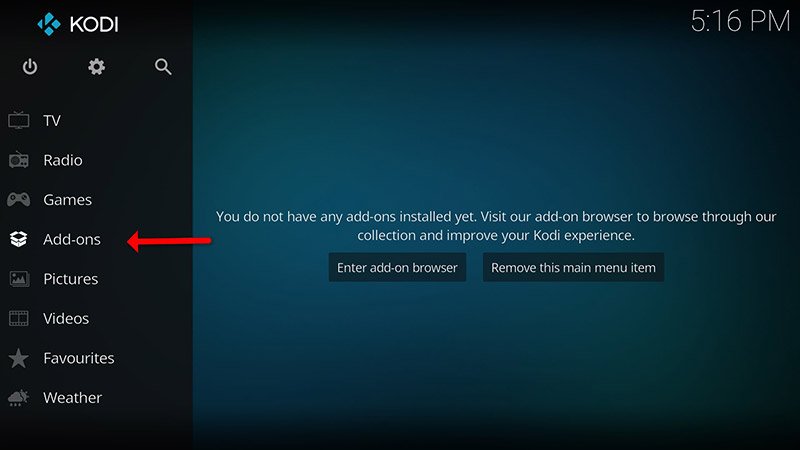
Step 3: After install and open it, click on “Add-ons“.
What is Kodi Add-on?
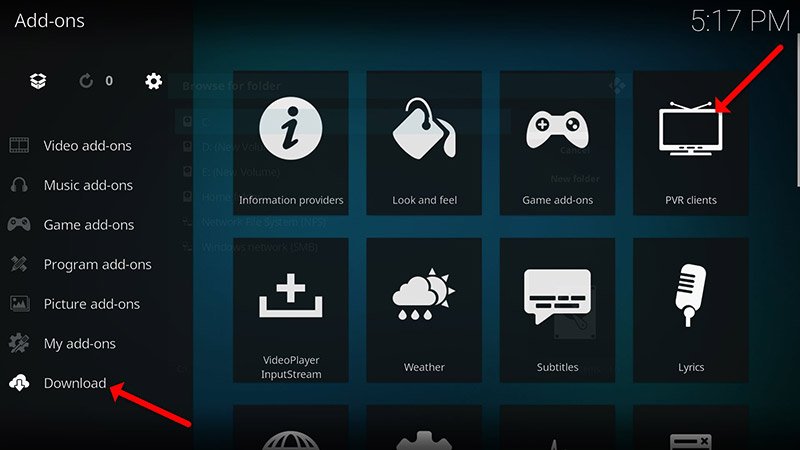
Step 4: Now click on “Download” then select “PVR clients“.
Note: The upcoming steps involve downloading and installing the PVR add-on. Once installed, there is no requirement to revisit the “Download” section. You can access the installed add-ons under “My add-ons“
Step 5: Select “Stalker Client“.
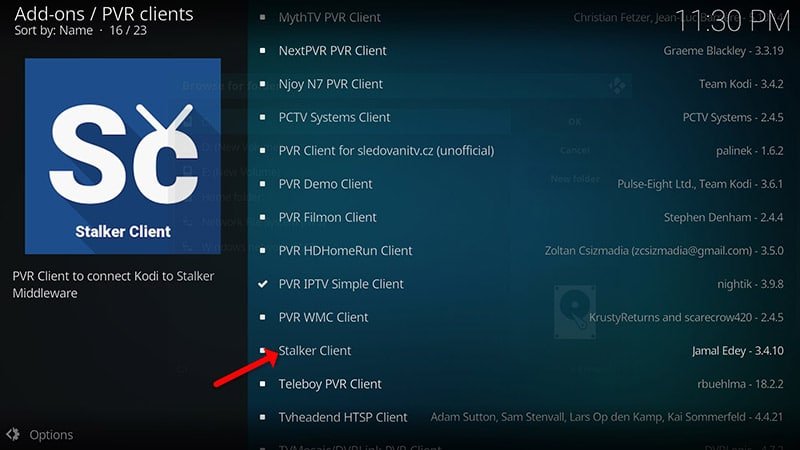
Step 6: Now click on “Install“.
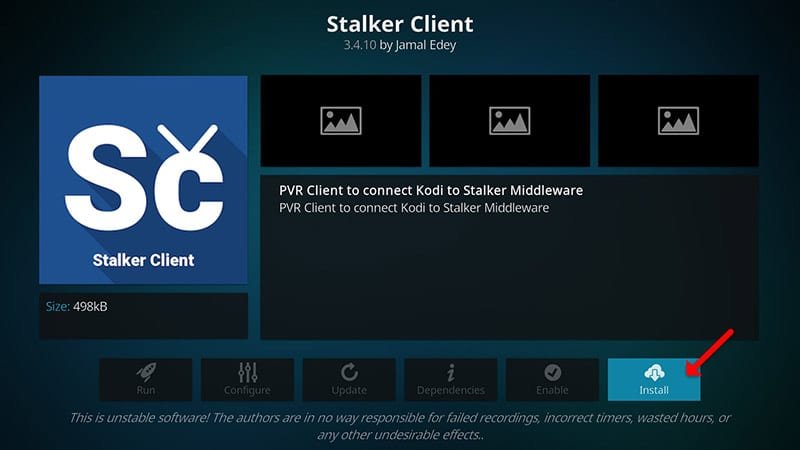
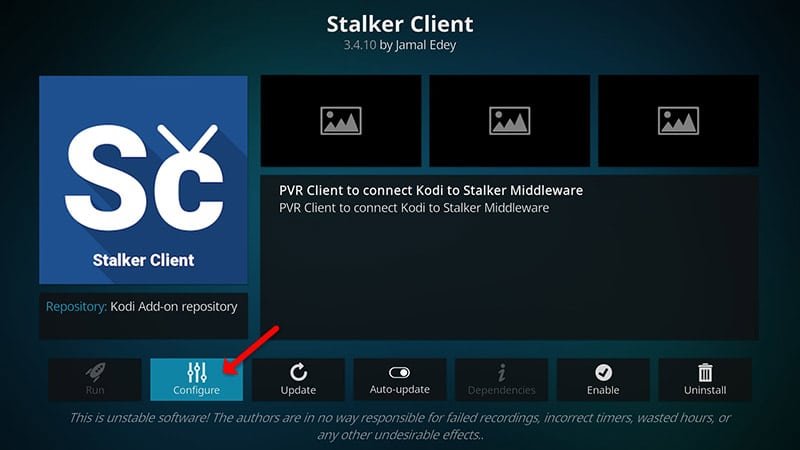
Step 7: After installing “Stalker Client” head back to “My add-ons” then “PVR Clients” and run the add-on.
Now click on “Configure“
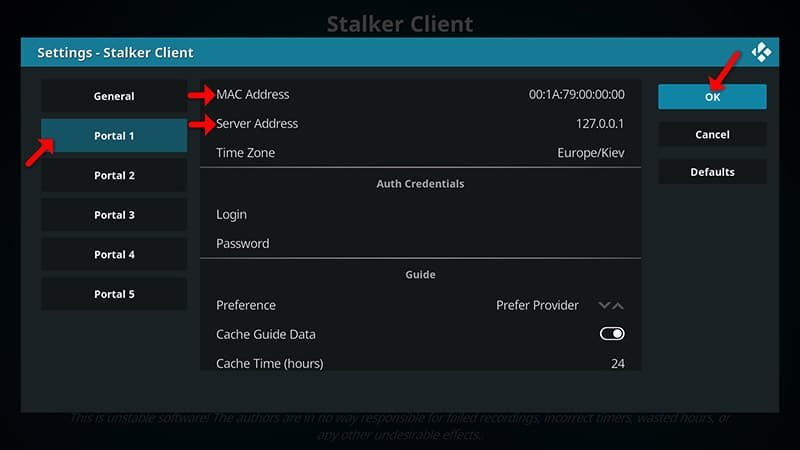
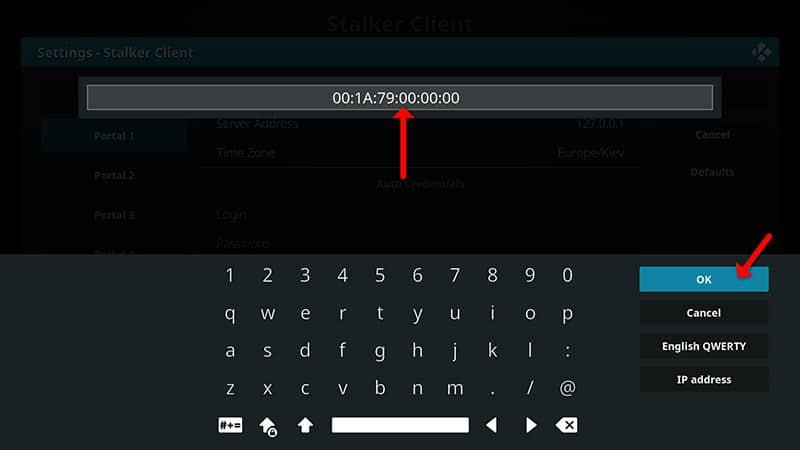
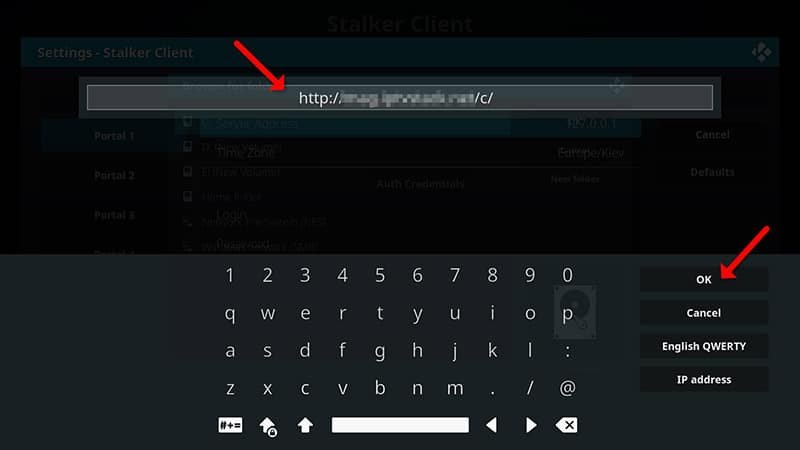
Step 8: Choose Portal 1, and input the Server address furnished by your IPTV distributor along with the Mac Address of your device. Once the information is entered accurately, click on “OK“.
How to find the Mac address and link it to your account:
Part 1: Find your Mac address, This is a number of sorts that you are going to need to tie your device to your subscription. What is MAC address in MAG devices?
No credit card required • Instant activation