

No credit card required • Instant activation
We shall elucidate the method to link an Android setup box to your antiquated television set, thereby transforming it into a smart TV.
Establishing Connections
In the initial phase, it is imperative to interconnect the HDMI cable. Generally, one is included in the package; however, should it be absent, procurement from an online or local vendor is recommended.
Subsequently, the Ethernet cable comes into play. This decision is discretionary. Opting for a direct wired connection over Wi-Fi ensures the utilization of the entire bandwidth provided by your internet service provider, should such a choice be viable. If not, wireless connectivity remains a viable alternative.
Interfacing the HDMI Android Box
For this purpose, a flat ribbon Ethernet cable is recommended due to its space-saving attributes and ease of concealment. While no distinction is imperative, a minimum recommendation of employing a CAT 5 Ethernet cable is advised.
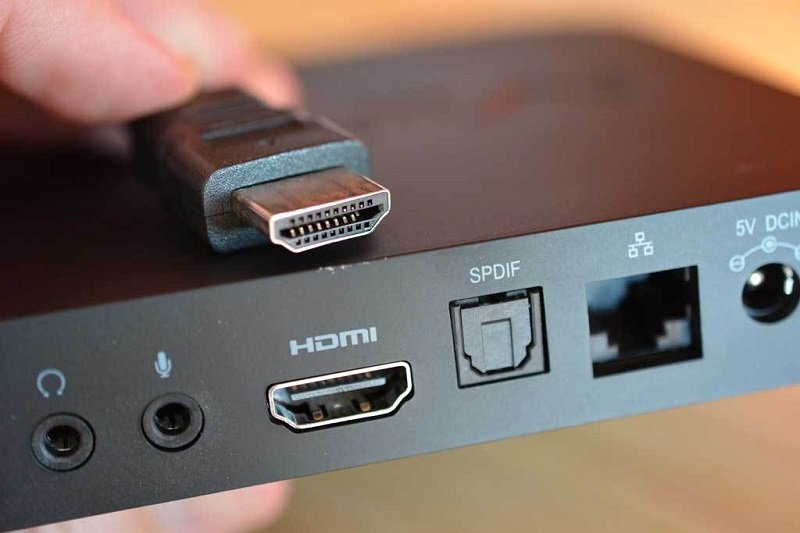
The final connection entails the power cable. Locate an available power outlet and plug it in securely.
Selecting an Internet Network
Prior to any other procedures, establishing an internet connection is paramount. Some devices prompt for this during initial setup. The minimum bandwidth required for streaming IPTV should be considered.
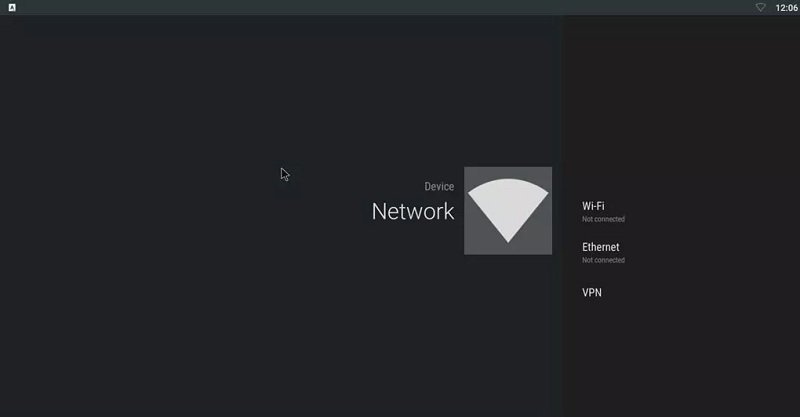
Should your device fail to prompt for internet connectivity during setup, manual intervention is necessitated. Navigate to the Settings section and access the Network option to configure your connection, be it Ethernet or Wi-Fi.
Creation of a Google Account
Upon successfully connecting to the internet, the next step involves creating a Google account. This facilitates the updating of preinstalled applications and the synchronization of necessary data. The Google Play Store serves as the gateway to a plethora of applications and Android games, effectively elevating the functionality of your standard TV to that of a Smart TV.
No credit card required • Instant activation