What is MAC address on MAG Box?
Learn what a MAC address is on a MAG Box, its purpose, and how to find it. Essential for IPTV setup & device identification. Quick guide!

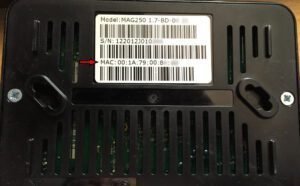
Learn what a MAC address is on a MAG Box, its purpose, and how to find it. Essential for IPTV setup & device identification. Quick guide!
change MAG Portal address.
There is a possibility that your portal address will need to be changed to a different IPTV provider. The following steps will outline the comprehensive procedure that must be followed in order to modify your portal address on your MAG box.

In this instructional guide, we shall elucidate the process of incorporating IPTV channels into the favored roster on a MAG apparatus. The Favorites attribute endows STB patrons with the ability to promptly access pre-elected IPTV channels via the MAG device. What is MAG? How to add channels to favorites Selection of channels for inclusion into the

MAG apparatuses represent a pinnacle in streaming media apparatuses. They are favored by IPTV consumers for their celerity, straightforwardness, and exemplary streaming efficacy. The interface is uncomplicated yet highly responsive, ensuring rapid channel transitions and furnishing all essential functionalities indispensable for optimizing one’s IPTV experience. How to setup IPTV on a MAG device? These Set-Top Boxes serve as

A set-up box, or STB, is a device that changes signals that come in into ones that can be shown on a TV or other devices. A lot of people use STBs

To set up IPTV on a MAG Box, Through the following steps, you will learn how to configure IPTV on a MAG Box:

The Dreamlink T1 and T2 are gadgets that let you watch IPTV channels. They have an interface based on the Stalker Middleware, a framework designed to turn these cybernetic channels into a table where the desired channel can be easily chosen for reading.
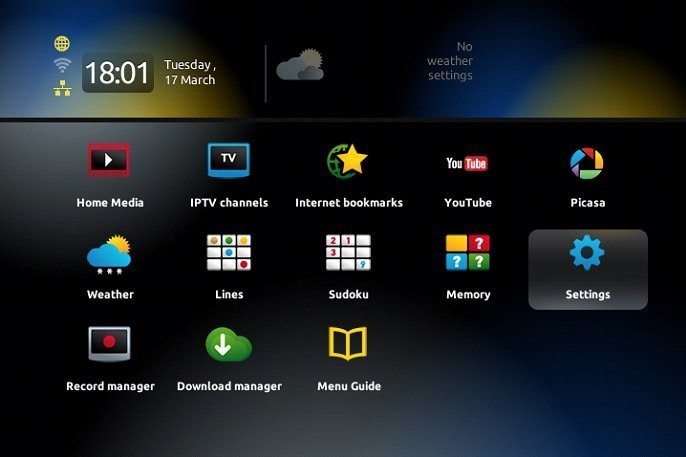
These easy steps will help you get to and make the most of your channel list, which will improve your entertainment experience.
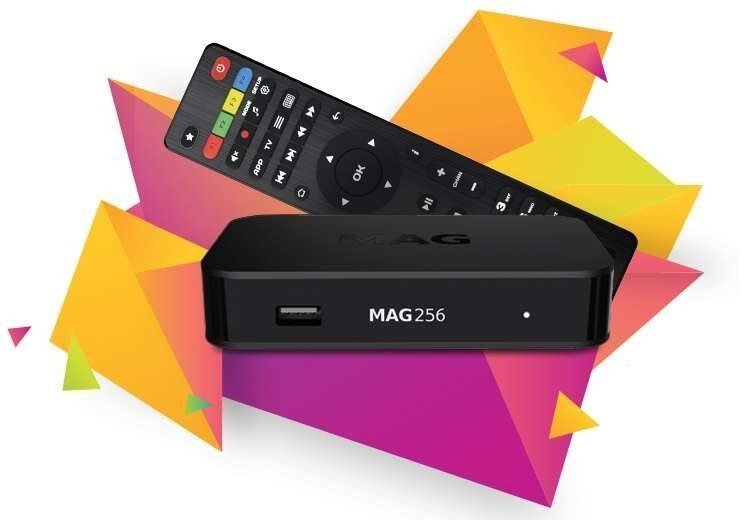
We will explain in detail how to add IPTV channels to your MAG 4XX and 5XX (MAG410, MAG420, MAG425, MAG500, MAG520, MAG524, etc.) equipment in this guide.